
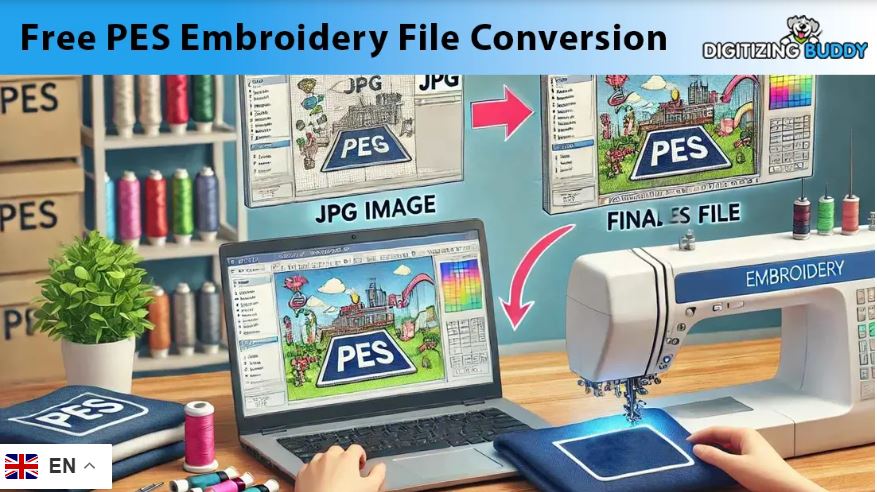
Embroidery is not just about a good design. It is about how that design is turned into stitches. Many people think they can just upload an image and start stitching. But that is not how it works.
To get clean and smooth results, you need a proper stitch file. This is where many beginners face problems. They see broken stitches, gaps, or uneven shapes. The reason is simple. The file is not made the right way.
If you want perfect results on your machine, you must understand the process. Many users try PES Embroidery File Conversion without knowing the basics. This often leads to poor output. In this guide, I will show you how to do it the right way using simple steps.
Why Stitch Files Matter So Much
A stitch file is not just a design. It is a set of instructions.
It tells your machine:
- Where to stitch
- How to move
- When to stop or change color
If your file is not clean, your machine will struggle. You may face:
- Thread breaks
- Uneven stitching
- Poor shape results
But a good file gives:
- Smooth stitching
- Clean edges
- Fast machine run
- Professional look
From real work experience, I can say this. A great design can fail with a bad file. But even a simple design can look amazing with a good file.
Understanding PES Files
What is a PES File?
A PES file is used in many embroidery machines. It is not an image. It is a stitch file.
It holds:
- Stitch types
- Stitch paths
- Design size
- Color steps
Your machine reads this data and creates the design on fabric.
Why You Cannot Use Images Directly
Images like JPG or PNG are not enough.
They only show how a design looks. They do not tell the machine how to stitch.
That is why digitizing is needed. It converts your design into stitch data.
Step-by-Step Guide to Create Perfect Stitch Files
Step 1: Start with Clean Artwork
Always begin with a good design.
- Use high-quality images
- Avoid blur or noise
- Keep shapes clear
Simple designs work best. Too many small details can create problems.
Step 2: Prepare the Design
Before digitizing, clean your artwork.
- Remove extra lines
- Fix rough edges
- Smooth curves
This step helps you avoid issues later.
Step 3: Set the Correct Size
Size plays a big role.
If the design is too small:
- Details will not show
If too big:
- It may not fit your hoop
Always set the size before digitizing. Do not resize after. It can break stitch quality.
Step 4: Choose the Right Stitch Type
Each part of your design needs a proper stitch.
Running Stitch
- Best for thin lines
- Good for details
Satin Stitch
- Great for text
- Smooth and shiny
Fill Stitch
- Used for large areas
- Covers space evenly
Using the wrong stitch can ruin the design.
Step 5: Plan Stitch Direction
Stitch direction affects how your design looks.
- Wrong angle = uneven finish
- Right angle = smooth look
Change direction for each part. This gives depth and style.
Step 6: Adjust Stitch Density
Density means how close stitches are.
- Too high → thread breaks
- Too low → gaps appear
Always adjust based on fabric type.
From my own work, this step makes a huge difference.
Step 7: Add Underlay Stitches
Underlay is the base layer.
It helps:
- Hold fabric in place
- Support top stitches
- Improve final look
Skipping this step often causes poor results.
Step 8: Set a Clean Stitch Path
Your machine follows a path.
If not planned well:
- It creates jumps
- Wastes time
- Adds thread cuts
Always create a smooth flow.
Step 9: Check Color Order
Plan your colors in order.
- Reduces machine stops
- Saves time
- Improves workflow
This step is simple but very useful.
Step 10: Test Your File
Never skip testing.
Run a sample on fabric:
- Check stitch quality
- Look for gaps
- Watch for thread breaks
Testing helps fix problems early.
Common Mistakes to Avoid
Using Low-Quality Images
Bad input leads to bad output.
Always use clean artwork.
Too Much Detail
Small details may not stitch well.
Keep your design simple.
Ignoring Fabric Type
Different fabrics need different settings.
- Soft fabric → light density
- Thick fabric → strong underlay
Skipping Testing
Many people skip this step.
But even experts test every file.
Real Tips from Experience
Over time, I have learned some simple rules.
- Keep designs simple
- Use fewer colors
- Avoid very small text
- Always preview stitches
- Save your original file
These tips help you get better results every time.
Best Tools for Digitizing
There are many tools available.
Basic Tools
- Easy to use
- Good for beginners
Advanced Tools
- More control
- Better for complex designs
But remember, tools do not replace skill. You need practice to improve.
How Experts Create Perfect Files
Professional digitizers focus on small details.
They:
- Plan every stitch
- Adjust settings for fabric
- Test each design
- Fix issues before delivery
This is why their work looks clean and smooth.
At Digitizing Buddy, every file is carefully checked. Each design goes through testing and correction. This ensures high-quality results every time.
Why Experience Matters
Digitizing is not just software work.
It is a skill that improves with time.
With experience, you learn:
- What works best
- What to avoid
- How to fix errors fast
Auto tools can help. But manual control gives better results.
When You Should Get Help
If you see:
- Broken stitches
- Uneven shapes
- Poor design output
Then it is better to get expert help.
Services like Digitizing Buddy can save your time and effort. You also get clean and ready-to-use files.
Final Thoughts
Turning your artwork into a perfect stitch file is not hard. But it needs the right steps.
Always remember:
- Start with a clean design
- Use proper stitch settings
- Test your file before use
From real experience, the key is patience. Do not rush. Take time to adjust and test.
When done right, your embroidery will look sharp, smooth, and professional. Every stitch will reflect quality.
0




Leave a Reply